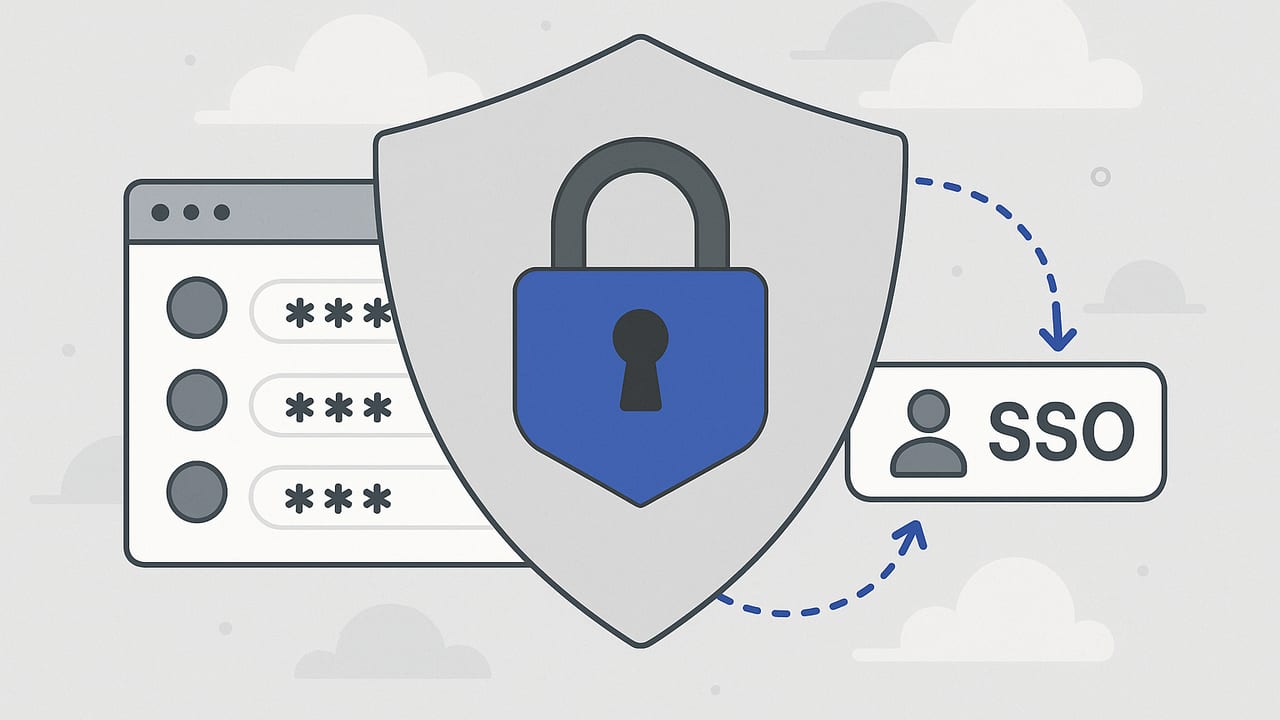
An enterprise password vault with SSO integration is fast becoming a baseline control for identity-first security. It centralizes privileged credentials, governs access via your identity provider (IdP), and reduces password sprawl while improving user experience. This guide explains how to evaluate solutions, design the right architecture, deploy without disruption, and measure success.
You can’t secure what you can’t govern—and identity is the strongest governance surface you already own.
What an Enterprise Password Vault Actually Does
Consumer password managers focus on convenience. Enterprise-grade password vaults add governance, automation, and compliance. At a minimum, expect the following capabilities:
- Centralized credential storage with strong encryption, role-based access, and auditable actions.
- Team- and role-based sharing that maps groups to vault folders, collections, or spaces.
- SSO/MFA enforcement to unify access with your IdP policies (e.g., phishing-resistant MFA).
- Least-privilege controls via fine-grained permissions, approval workflows, and time-bound access.
- Rotation and automation for infrastructure passwords, service accounts, and API keys.
- Auditability and compliance: immutable logs, SIEM integrations, and reporting.
When paired with SSO, the vault becomes a governed extension of your identity fabric—credentials are used when needed, by the right people and services, under policy.
Why SSO Integration Is Nonnegotiable
Integrating your enterprise password vault with SSO (via SAML or OIDC) delivers benefits that are difficult to replicate with standalone logins:
- Consistent security posture: inherit your IdP’s MFA, device trust, network, and risk-based controls.
- Lifecycle automation: auto-provision/deprovision vault access as employees join, move, and leave.
- Fewer credentials to manage: reduce password fatigue and support tickets.
- Better compliance: centralized access reviews, policy enforcement, and clean audit trails.
- Faster incident response: one place to revoke access across the vault by disabling the IdP account.
Core Architecture Patterns for SSO
Most enterprises use a combination of SAML, OpenID Connect (OIDC), and SCIM. Here’s how they fit together:
| Standard | Purpose | Best For | Strengths | Watch Outs |
|---|---|---|---|---|
| SAML 2.0 | Federated authentication | Browser-based SSO | Mature, widely supported | XML complexity; limited modern claims |
| OIDC | Authentication + user info via OAuth 2.0 | Modern web and native apps | Lightweight, flexible claims | Token lifetimes & refresh strategy |
| SCIM | Provisioning and lifecycle | Auto user/group sync | Automates joiner/mover/leaver | Scope mapping and drift control |
High-Level Flow
- User initiates sign-in to the vault.
- Vault redirects to IdP (SAML or OIDC) for authentication.
- IdP applies policies (MFA, device, location) and issues an assertion/token.
- Vault validates the response and maps groups/claims to roles and collections.
- SCIM (if enabled) keeps users and groups synchronized over time.
Design Considerations and Best Practices
- Choose the protocol that fits your app mix: SAML for legacy web flows; OIDC for modern clients and mobile.
- Map IdP groups to vault roles rather than assigning users individually; this keeps access reviews manageable.
- Use phishing-resistant MFA (FIDO2/WebAuthn) enforced at the IdP for vault access.
- Enable conditional access to limit vault logins by device posture, risk, and network.
- Plan break-glass procedures for IdP outages; define at least two offline recovery custodians.
Sample Configurations
Below are generic, vendor-agnostic examples to make the concepts concrete.
OIDC Application Registration
# Generic OIDC client (values are examples)
issuer: https://idp.example.com
client_id: vault-prod-client
client_secret: <redacted>
redirect_uris:
  - https://vault.example.com/callback/oidc
  - com.example.vault://callback
response_types: [code]
grant_types: [authorization_code, refresh_token]
scopes: [openid, email, profile, groups]
claims_mapping:
  subject -> user.id
  email -> user.email
  groups -> user.groups
policy:
  mfa: required
  device_compliance: required
  network_ranges:
    - 203.0.113.0/24
token_lifetimes:
  access_token_minutes: 60
  refresh_token_days: 30
SAML Service Provider Snippet
<EntityDescriptor entityID="https://vault.example.com/sp">
  <SPSSODescriptor AuthnRequestsSigned="true" WantAssertionsSigned="true">
    <AssertionConsumerService Binding="urn:oasis:names:tc:SAML:2.0:bindings:HTTP-POST"
      Location="https://vault.example.com/saml/acs" index="1" />
    <Attribute Name="Groups" NameFormat="urn:oasis:names:tc:SAML:2.0:attrname-format:basic" />
    <Attribute Name="Email" NameFormat="urn:oasis:names:tc:SAML:2.0:attrname-format:basic" />
  </SPSSODescriptor>
</EntityDescriptor>
Group-to-Role Mappings
# Vault-side mapping
mappings:
  - idp_group: "IT-Admins"
    vault_role: "Org Admin"
    collections: ["Core Infrastructure", "Privileged Accounts"]
  - idp_group: "Support-Agents"
    vault_role: "User"
    collections: ["Customer Integrations"]
  - idp_group: "Contractors"
    vault_role: "Limited"
    collections: ["Project A"]
    time_bound:
      expires_in_days: 30
Evaluation Checklist: What to Look For
Use this checklist to grade potential platforms.
- Identity integration: SAML and OIDC support, SCIM provisioning, group/claim mapping, multiple IdPs/tenants.
- Access control: fine-grained permissions, delegated administration, approval workflows, time-based and just-in-time access.
- Security posture: end-to-end encryption, HSM or cloud KMS support, BYOK/rotate keys, secrets masking, clipboard controls.
- Automation: APIs/SDKs, CLI/terraform modules, automatic password rotation for infrastructure targets (databases, network devices, Windows/Linux accounts).
- User experience: browser extensions, desktop/mobile apps, passwordless SSO, offline access with policy controls.
- Compliance: detailed audit logs, export to SIEM, evidence reports (access reviews, rotation reports), data residency options.
- Scalability: multi-region, HA/DR, performance at enterprise scale, delegated vaults per business unit.
- Ecosystem: integrations with ticketing, SOAR, ITSM, and PAM/IDP tools; webhook/event support.
- Total cost: licensing, hosting, HSM/KMS, professional services, and the cost of change (training, adoption).
Cloud vs. Self-Hosted vs. Hybrid
Your deployment model affects both security and operations.
- Cloud (SaaS): fastest rollout, automatic updates, and often the best client experience. Validate data residency, encryption architecture, and isolation model.
- Self-hosted: maximum control and network isolation. Requires patching discipline, capacity planning, and HA/DR design.
- Hybrid: keep the control plane in the cloud but store encryption keys or certain secrets on-premises or in your cloud account.
For sensitive environments, confirm support for BYOK or HYOK (hold your own key), customer-managed HSM, and envelope encryption for secrets at rest.
Implementation Roadmap (A Pragmatic 60–90 Day Plan)
- Discovery (Week 1–2): Inventory shared credentials, privileged accounts, and teams. Identify IdP groups and target collections.
- Design (Week 2–3): Choose SAML or OIDC; define token lifetimes, conditional access, and group-to-role mappings. Draft break-glass procedures.
- Pilot (Week 4–6): Roll out to a small cohort. Import a limited set of secrets. Enable MFA and device posture. Gather usability feedback.
- Automation (Week 5–7): Enable SCIM, set up rotation for a few critical systems, and wire audit logs to SIEM.
- Hardening (Week 6–8): Enforce phishing-resistant MFA, disable local passwords where possible, and set least-privilege defaults.
- Scale-out (Week 8–10): Migrate remaining secrets, finalize approvals for privileged flows, and conduct training.
- Operate (Ongoing): Run access reviews quarterly, rotate keys, and tune alerts based on SIEM signals.
Common Pitfalls—and How to Avoid Them
- Local accounts left enabled: After SSO, administrators sometimes keep local logins as a crutch. Action: restrict local accounts to break-glass only with strong escrow and auditing.
- Manual user management persists: Without SCIM, access drift returns. Action: implement automated provisioning and tie entitlements to IdP groups.
- Overly broad sharing: Single monolithic collections invite lateral movement. Action: segment by team, environment, and sensitivity; default to least privilege.
- No rotation strategy: Static shared passwords defeat the purpose. Action: prioritize rotation for admin accounts, databases, and network devices.
- Weak audit coverage: Logs that don’t reach your SIEM are invisible. Action: forward detailed audit events and set anomaly alerts (e.g., unusual exports).
Security Hardening Essentials
- FIDO2/WebAuthn MFA at the IdP for all vault access, including admins.
- Conditional access requiring compliant devices and trusted networks for high-risk operations (exports, policy edits).
- Client security controls: clipboard timeout, domain-based autofill, and masking of sensitive fields in the UI.
- Key management: customer-managed keys and periodic rotation; protect key material in HSM/KMS.
- Break-glass governance: dual-control recovery, time-bound emergency accounts, and post-incident reviews.
- Data minimization: avoid storing secrets that can be eliminated via federated access or short-lived tokens.
Measuring Success: KPIs That Matter
- Adoption: percentage of target users and teams actively using the vault weekly.
- Coverage: proportion of shared credentials migrated and governed.
- Risk reduction: count of unmanaged shared passwords over time; decrease in password-related incidents.
- Operational efficiency: helpdesk tickets related to passwords before vs. after SSO rollout.
- Automation rate: percentage of high-value accounts under automatic rotation.
- Audit completeness: percent of vault events landing in SIEM with actionable alerts.
Cost and ROI: Where the Value Shows Up
Enterprises typically see returns in three areas:
- Reduced support load from fewer password resets and access issues thanks to SSO.
- Lower breach likelihood and blast radius via least privilege, MFA, and rotation.
- Audit readiness cutting time spent on evidence collection for reviews and certifications.
Quantify savings with baseline metrics before rollout and compare quarterly. Tie risk reduction to avoided incident costs to capture the full picture.
Putting It All Together
An enterprise password vault with SSO integration extends your identity-first security model to the last mile of credential use. The winning approach is simple: integrate tightly with your IdP, automate lifecycle with SCIM, enforce strong MFA and conditional access, segment privileges carefully, and turn on rotation for high-value accounts. With that foundation, you gain centralized control without burdening users.
If you’re evaluating vendors, consider platforms that pair secure secrets management with intuitive SSO and automation. A solution like Vaulify can fit this model while keeping implementation practical and governance strong.